You do not have to buy a Suica card to travel in Japan, but it can make everyday train journeys and small purchases much easier.
Instead of buying a paper ticket for each eligible ride, you load money onto the card and tap it at the reader.
Already have a compatible transport card such as PASMO or ICOCA? You usually do not need Suica as well for journeys in the nationwide mutual-use network.
For a first visit, I would focus on getting one suitable IC card rather than collecting different brands. Here is how to choose, buy and use yours.
What Is Suica?
Suica is a rechargeable transport IC card issued by JR East. Its prepaid balance pays for eligible transport and purchases at participating businesses.
It is not an unlimited travel pass. Each journey or purchase uses part of your balance.
Think of it as a convenient payment method: you still choose your route and pay the applicable fare, but spend less time at ticket machines.
Is Suica Necessary for Your Japan Trip?
Helpful, yes. Essential, no.
You can buy paper tickets instead. If your itinerary involves only a few journeys, that may be enough.
But if you expect to use urban trains and buses regularly, an IC card can remove a little friction from every day. It is also useful when buying a drink or snack at a shop accepting transport IC payments.
It is not automatically the cheapest option. A sightseeing pass may suit some itineraries better, so compare it with the journeys you actually plan to make.
Which Suica Option Should You Choose?
Regular Physical Suica
A regular Suica is useful if you want a reusable card. A new physical card includes a ¥500 deposit, separate from the money available to spend.
For example, a ¥2,000 purchase includes a ¥500 deposit and ¥1,500 usable balance.
Physical Welcome Suica
The standard physical Welcome Suica is aimed at short-term visitors. It has no deposit and is valid for 28 days from purchase.
Do not confuse that period with mobile or supplier-specific products. Check the terms of the exact product you choose.
Suica on Your iPhone
On a compatible iPhone, Suica can be added through Apple Wallet with an eligible payment card.
JR East also offers the Welcome Suica Mobile app for iOS. Device requirements and product conditions apply.
If you prefer a separate card—or your phone setup does not support it—a physical card keeps things straightforward.
Where Can You Buy Suica in Japan?
Regular Suica at JR East Stations
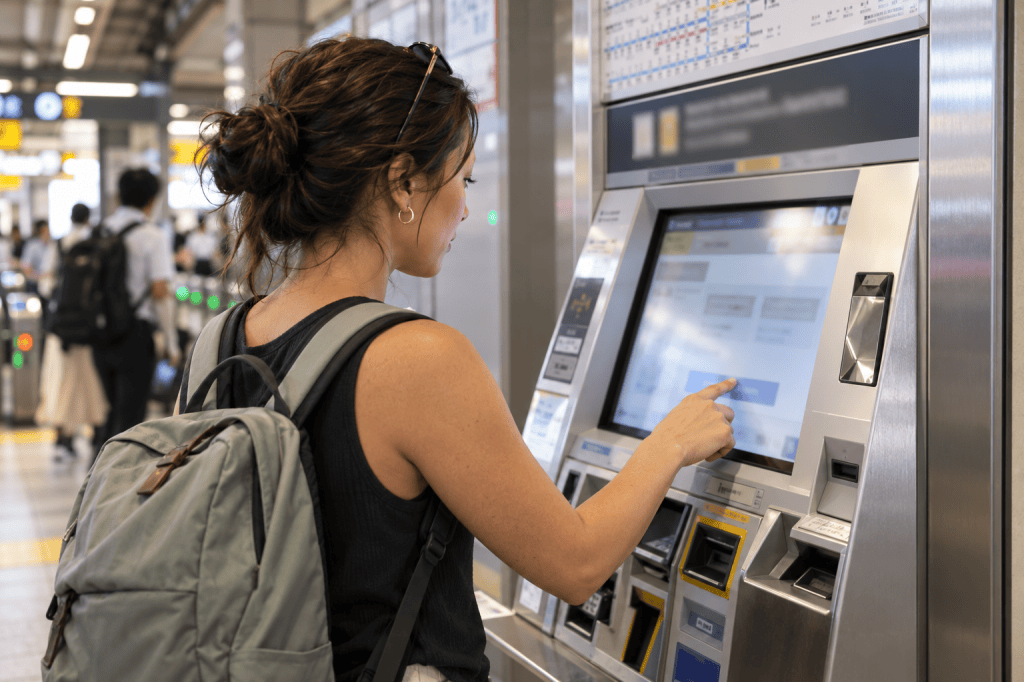
JR East lists compatible multifunction ticket machines and staffed ticket offices at eligible stations as purchase locations.
Look for the Suica purchase option rather than assuming every ticket machine sells it.
Welcome Suica at Airports and Major Stations
JR East lists Welcome Suica sales at:
- Narita Airport Terminal 1 Station.
- Narita Airport Terminal 2・3 Station.
- Haneda Airport Terminal 3’s Tokyo Monorail station.
- Selected JR EAST Travel Service Centers, including Tokyo, Shinjuku, Shibuya, Ikebukuro and Ueno.
Check the current sales-location list and counter hours before planning your arrival. A sales counter may not be open when your flight lands.
Check official Welcome Suica sales locations
How to Buy a Physical Suica
The exact screens depend on the machine and card type, but these are the basic steps:
- Find a machine or counter that sells your chosen card.
- Select English if available.
- Choose the card purchase option and the correct adult or child type.
- Select an initial amount and follow the payment instructions.
- Collect the card, change and any accompanying receipt or reference paper.
For a registered card, additional personal details may be requested. For a child Welcome Suica, bring the child’s passport or other accepted identification. Keep the reference paper supplied with Welcome Suica.
For illustration, ¥2,000 is an easy starting amount to understand, but it is not a daily travel budget or a guarantee of how many trips it will cover.
How to Add Suica to Apple Wallet
On a compatible iPhone:
- Open Wallet and tap the plus button.
- Choose “Transit Card.”
- Select Suica.
- Follow the prompts to add a new card.
- Choose an amount and confirm payment with an eligible card.
Follow Apple’s current instructions if the menus differ on your device.
If you transfer a supported physical card into Wallet, the original plastic card stops working. Do not expect both versions to remain usable.
Read Apple’s official setup guide
How to Use Suica on Trains and Buses
Trains and Subways
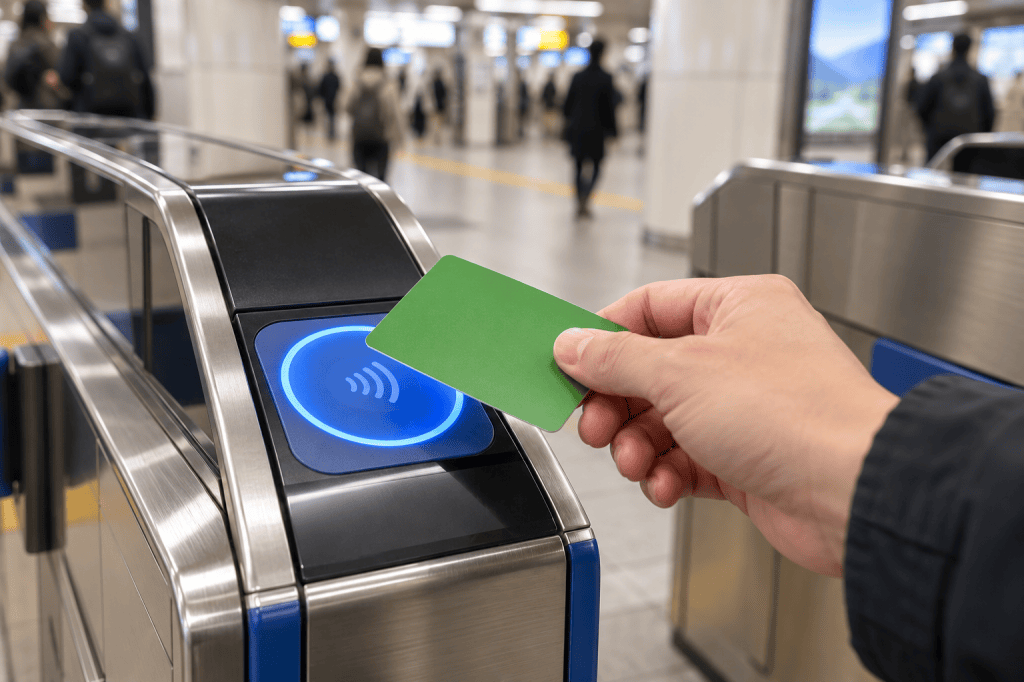
At a participating station, tap your card or device on the IC reader when entering. Tap the same card or device when exiting.
The appropriate fare is deducted automatically. If the balance is too low, top up or ask station staff for help.
Buses
Follow the payment instructions for the operator and route. Some buses require tapping when boarding and leaving; others use a different arrangement.
Watch the signs beside the reader rather than assuming every bus works like the last one you took.
Shops

At a participating store, tell the cashier you want to pay with Suica or an IC card, then tap when prompted.
Look for compatible payment marks before relying on it. Keep another payment method available.
How to Top Up Suica
For a physical card, use a compatible charging machine and follow the on-screen instructions. Cash is the standard method for station-machine top-ups.
For Suica in Apple Wallet, use “Add Money” with a supported payment card. Not every physical-card machine can recharge a phone.
Personally, I would check the balance before heading out rather than waiting until I am already at a busy gate.
Flying into Fukuoka? An Airport Pickup Option
KKday lists a Welcome Suica pickup product at Fukuoka Airport’s international terminal, using the DELIBAG pickup location. This may be worth considering if you want to arrange a physical card before arrival.
The listing currently offers adult cards only and states that bookings cannot be cancelled. Check the package’s loaded balance, total price and redemption instructions before buying.
There is also a detail to clarify: the supplier states that the card will have at least 30 days of remaining validity, while JR East’s standard physical Welcome Suica is valid for 28 days from purchase. Confirm the exact product and expiry date with the supplier rather than assuming they are identical.
Check the Fukuoka Airport Welcome Suica pickup option on KKday
If you already have a working compatible IC card, you may not need another one.
A Few Limits to Remember
Suica does not cover every train, bus or shop.
For Shinkansen journeys and services requiring supplements or reservations, arrange the appropriate tickets. Adding money to Suica alone does not make those bookings.
Do not assume that you can tap in at Tokyo and tap out after a long conventional-train journey across separate IC areas.
Heading to Kyoto and Osaka Next?
Buying your card is only the first step. If your trip continues to Kansai, you may be wondering whether you can keep using it—or need ICOCA instead.
In my next guide, I’ll explain whether Suica works in Kyoto and Osaka, including local transport, topping up and the difference between local journeys and the Shinkansen.
My Simple Advice
Choose one suitable IC card, learn how to top it up and keep some cash available.
You do not need Suica to have a good trip. But for many everyday journeys, that small tap can make getting around feel a little easier.


Leave a Reply